Role
Product Design
focus
User flow
Design system
Product Strategy
Timeline
2024 (Original)
2026 (Revisited)
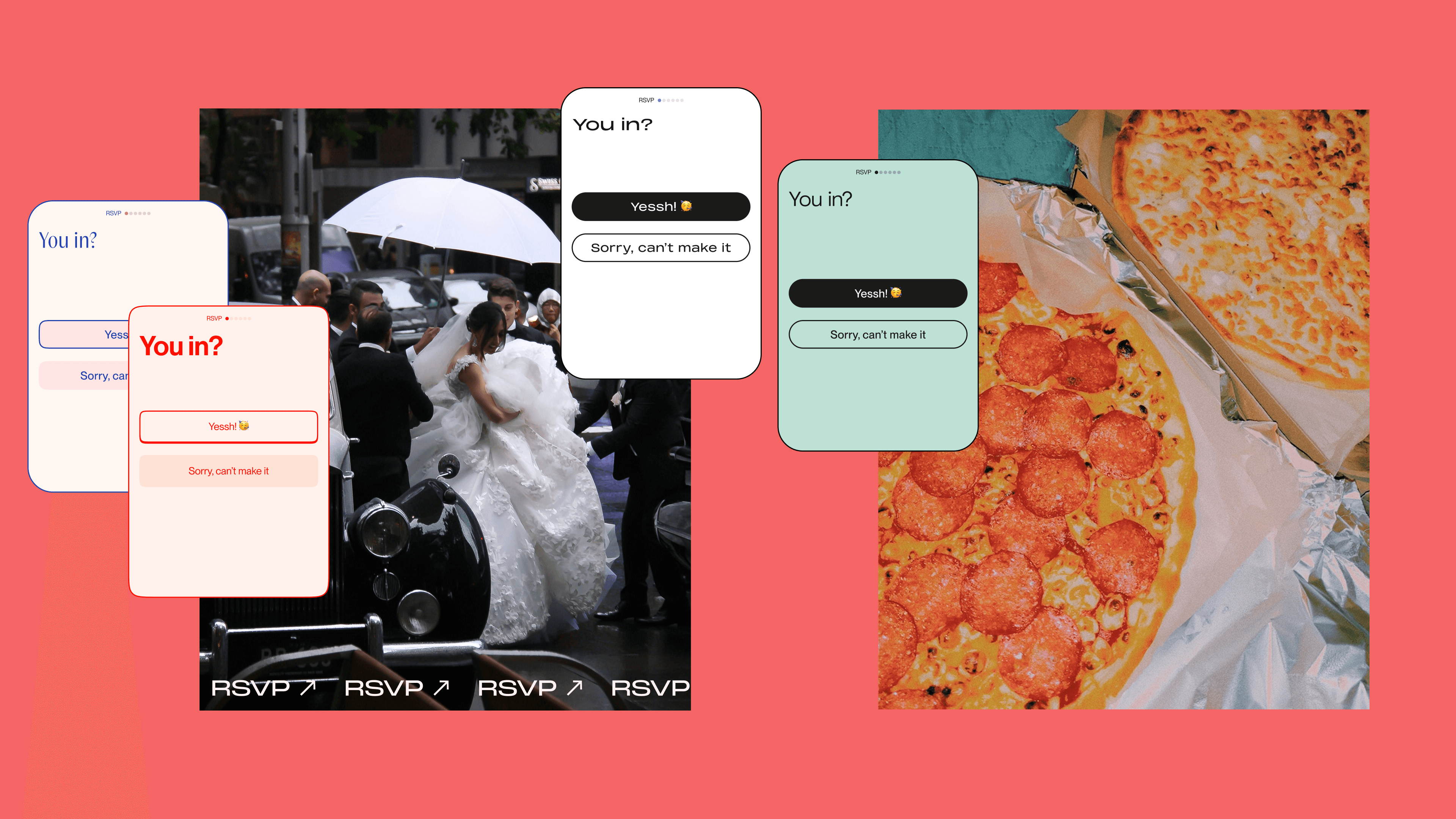
Bask was a social event platform for Gen Z, built around the idea that there's always a reason to throw a party — whether you're pulling out your mom's china for an afternoon tea, or making it big at a wedding. This is the RSVP guest flow and the design system built to make every event's visual identity carry through to the guest experience.
project note
I designed the RSVP guest flow as part of the core product team in 2024, working alongside the Fusion Motive team. The flow was designed in full scope but not carried through to production — the project pivoted to a minimal MVP before implementation. This case study revisits that work to apply the design system layer it was always missing.
intro
RSVP and the jobs it needs to do
The organiser needs a lot of information — guest names, dietary needs, transport preferences, WhatsApp group. The guest wants speed and zero friction. The challenge was to serve both without compromise: a form that collects everything the organiser needs while feeling, to the guest, like it takes thirty seconds.
But guest need isn't only speed. Many guests carry a quiet worry "has the organiser thought about me specifically?" The vegetarian wonders if there'll be food. The parent wonders if children are welcome. Open fields over predefined options signal the opposite: your situation is welcome here, whatever it is.
I decided to take this further with a token-based design system — because it was the right answer to a third need, one neither party notices until it's missing: coherence. When the RSVP form inherits the visual language of the event template, the guest experience feels like one thing, not two. The host's personality carries through to the moment of response.
Problem
The form belonged to the app, not the event.
Every event on Bask has its own visual identity. But the RSVP form was styled once, statically — a birthday bash and a pasta night looked identical to their guests. The form belonged to the app, not the event.
I looked at it through a Jobs-to-be-Done lens: the guest needs to confirm attendance quickly and have a voice over their needs. The organiser needs to know precisely who's coming, with whom, and what arrangements to make, without chasing anyone. A static, one-size-fits-all form wasn't serving either.
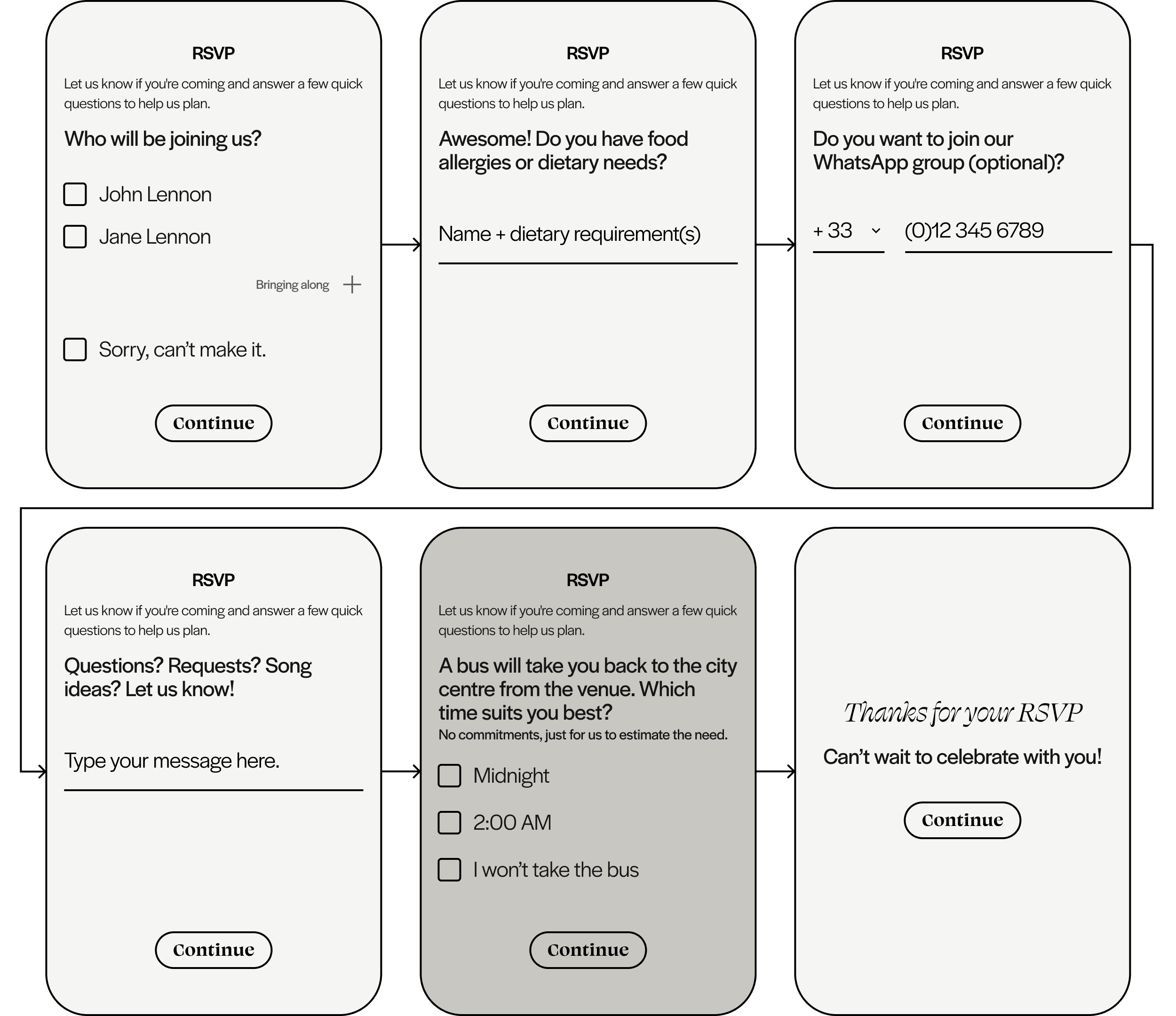
Hypothesis: if the form inherits the event's characteristics automatically and collects the right information upfront, both the experience and the logistics take care of themselves. The wireframes below are where that thinking started.
DESIGN DECISIONS
What was decided, and why
I removed the intro copy. The original wireframes opened with "Let us know if you're coming and answer a few quick questions to help us plan." It was doing nothing — the screens speak for themselves.
"You in?" as the opener was a deliberate call. It sets the tone immediately and leaves no ambiguity about what's being asked.
I didn't give Maybe as an option. It creates uncertainty for the organiser without giving the guest anything useful. The RSVP is a commitment, not a mood — yes or no.
The invitation type determines what the form asks. A named group invitation shows a pre-filled checklist. A plus one invitation shows an open name field. The organiser's intent is set once — the form follows. No redundant questions, no confusion.
The flow shown here is for a named group. If the organiser selects plus one, the guest checklist adapts — instead of pre-filled names, the guest types their companion's name directly.

Dietary needs as free text, not a checklist — because nobody wants to be left without food. People know how to express their own needs; they're used to doing it at restaurants. An open field with examples gets richer, more accurate data than a checklist that grows long and still misses something. For set menu events, the organiser can add a predefined selection screen — fish or meat, that kind of thing.
Optional screens. The bus ride screen in this flow is an example of the organiser using the back office to add a specific question. Polls and additional input types were on the roadmap.
The thank you screen breaks the layout rhythm on purpose. The flow is task-dense — the final screen earns its breathing room as an emotional beat, not another thing to complete.
I consciously left some edge cases unhandled. If the primary guest can't attend but someone else goes in their place, both the yes and no flows include a free message field to cover it. It's admittedly a difficult call for the user, but designing for 2% at the cost of clarity for 98% would be the wrong trade.
EXECUTION
The default state
The default theme is intentionally neutral. No event identity applied, no template bleeding through. Clean type, black and white, full contrast. It's the base state the system builds from — every themed version starts here. I added progress indicators after the wireframes. Even when the flow is short, nobody likes to feel lost.


THEMING
One form. Every event's identity.
Button hierarchy shifts with the theme. In the default state, yes is filled and no is outlined. In party mode they swap. The primary action changes with the mood of the event, not just the colour.
The display text "You in?" is set as a text style per theme to match the event's typography. Figma doesn't support typography variables yet, so text styles handle this layer for now.
TEMPLATES
Each template drives the form
Event templates are the starting point for every Bask event. The organiser picks one — it sets the visual language of the invitation and carries through to the RSVP form automatically. No custom styling per event, no inconsistency.
Each template comes with colour schemes to choose from. The text and images are fully customisable, so any template can work for any event type. The structure does the heavy lifting — the organiser just makes it their own.


DESIGN SYSTEM
Built to scale from the root
I built the design system on two layers. Primitives hold the raw values — hex codes, numbers, the base palette. Semantic tokens reference those primitives and give them meaning: surface/default, accent, radius/card. When a theme changes, only the semantic layer updates. The primitives stay untouched.
Colour, corner radius, and spacing are all token-driven. Add a new theme and the form inherits it — no per-event styling. Components are built once and themed through tokens; so the button doesn't change, only the values it references do.

When aesthetics are defined as tokens, changes apply everywhere automatically and variations are easy to build. The same naming convention in design and code removes the guesswork from handoff, and keeps the system AI-ready and open to whatever comes next. The token structure follows the W3C DTCG format, which is the same schema AI tools read natively. Here's what that looks like when consumed by AI to generate production code.
reflection
did it hold?
My hypothesis was that a token-driven form inheriting the event's visual identity would create an unexpected, cohesive experience, adding value for the organiser choosing the app over competitors, and for the guest feeling invited to something special. Based on the design, my hypothesis holds. The guest moves through a form that feels like a continuation of the invitation.
What shipping would have proven is 1) whether the coherence between invitation and RSVP reduced drop-off, and 2) whether organiser-configured screens reduced the need for manual guest coordination. Drop-off rate could be measured through funnel analytics. Whether organiser-configured screens reduced manual coordination could be tracked through post-event surveys and organiser behaviour in the app.